
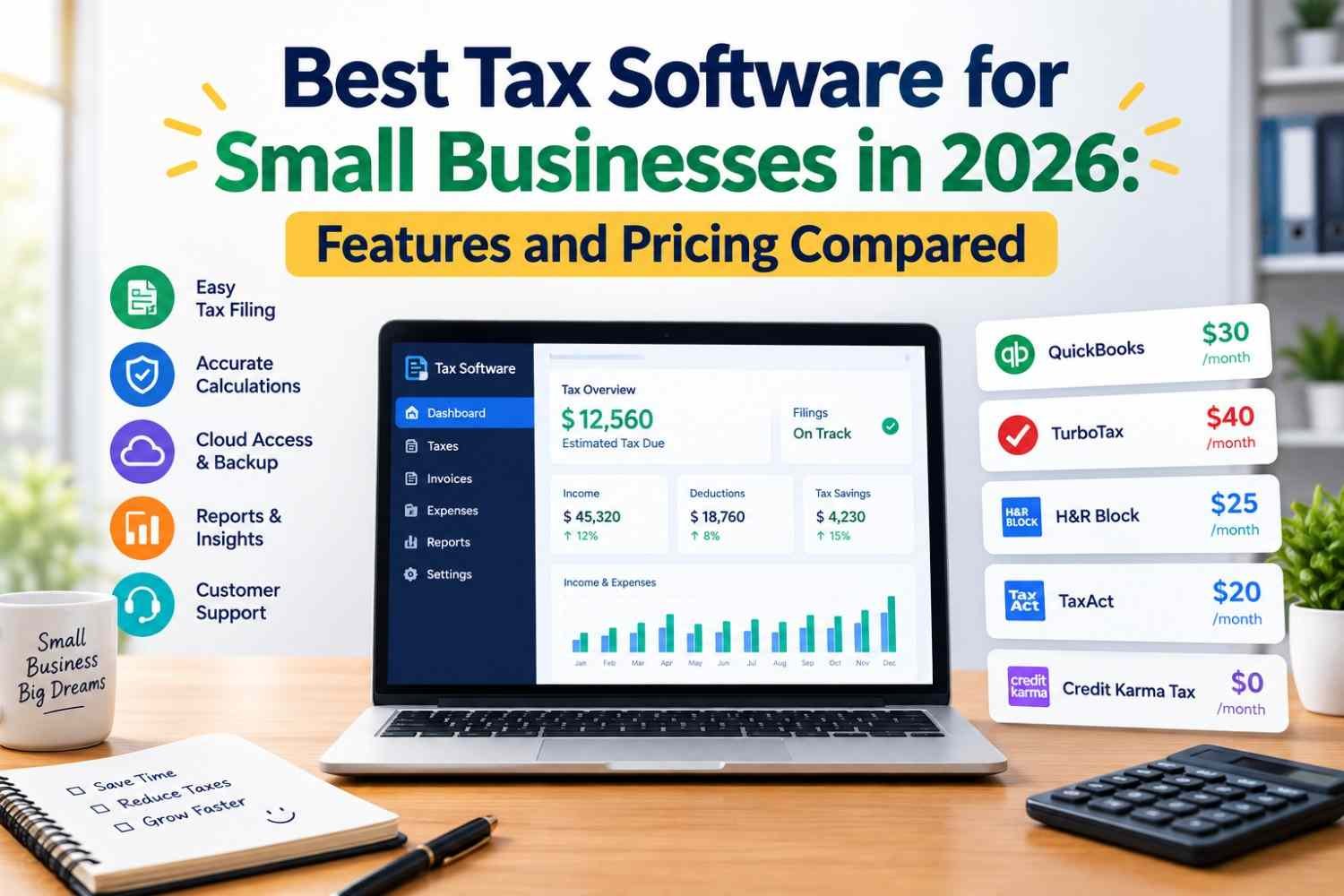
Choosing the best tax software for small businesses can make tax season easier, reduce manual data entry, and help business owners organize their financial records throughout the year. Whether you operate a freelance business, a single-member LLC, a partnership, or an established corporation, the right tax preparation software can help you prepare returns, track deductible expenses, and manage filing deadlines.
However, not every tax software product supports every business structure. Some tools focus on self-employed individuals and sole proprietors, while others support partnership returns, S corporations, and C corporations. Certain platforms also offer access to tax professionals, bookkeeping integrations, and year-round tax planning features.
In this guide, we compare some of the best tax software for small businesses in 2026, including their main features, pricing considerations, advantages, and limitations. We also explain how to select software based on your business structure, budget, accounting workflow, and tax preparation requirements.
What Is Small Business Tax Software?
Small business tax software helps business owners prepare, calculate, organize, and sometimes electronically file their tax returns. Depending on the product, it may also help track deductible expenses, import financial data, organize contractor payments, estimate tax obligations, and maintain records for future filings.
For US businesses, tax preparation requirements depend on the company’s legal and tax classification.
For example:
- Sole proprietors and many single-member LLCs: Generally report business income and expenses on Schedule C with an individual federal tax return.
- Partnerships: Generally file Form 1065 and provide Schedule K-1 information to partners.
- S corporations: Generally file Form 1120-S and issue Schedule K-1s to shareholders.
- C corporations: Generally file Form 1120.
A single-member LLC may have different tax treatment if it elects corporate taxation. Always confirm which forms apply to your business before choosing a product.
The best small business tax software is therefore not necessarily the one with the most features. It is the one that supports your required tax forms, fits your budget, and makes your filing process easier.
Best Tax Software for Small Businesses in 2026
The following options cover different needs, from affordable federal tax filing to business entity returns and professional tax assistance. Pricing and features may change during the tax year, so confirm the current details on each provider’s official website.
1. TurboTax Business — Best for Guided Business Tax Preparation
TurboTax Business is an option for businesses that need dedicated business tax preparation software. It is particularly relevant to owners who want guided workflows and help navigating tax forms.
Key features to consider:
- Support for eligible partnership and corporate tax returns.
- Guided tax preparation workflows.
- Import options for supported financial records.
- Tax calculations and error checks.
- Additional expert assistance through eligible products or services.
Pricing: Paid product; the cost depends on the version, filing method, and any additional services.
Pros:
- Guided preparation for supported business returns.
- Useful for owners who prefer software-assisted filing.
- Options for certain business entity types.
Cons:
- Product versions differ in supported forms.
- State filings and expert services may cost extra.
- The desktop and online offerings do not necessarily support identical business returns.
Best for: Small businesses that need dedicated business tax filing and want a guided preparation experience.
2. TaxAct Business — Best for Comparing Business Filing Costs
TaxAct Business is worth considering if you need software for preparing business entity returns and want to compare pricing against other tax preparation providers.
Key features to consider:
- Support for eligible partnership and corporate returns.
- Business tax form preparation.
- Electronic filing options for supported returns.
- Tax calculations and error checks.
- Available expert assistance or professional services, depending on the product.
Pricing: Varies by business type, product, and filing requirements.
Pros:
- Designed for several types of business tax returns.
- Useful for businesses comparing dedicated tax software.
- Offers online and desktop options for supported products.
Cons:
- Different versions support different return types.
- Additional state filing or expert services may increase the cost.
- Some features may not be included in the basic package.
Best for: Owners who want to compare dedicated business tax software before purchasing.
3. H&R Block — Best for DIY Tax Filing With Additional Support Options
H&R Block offers tax preparation products for individuals and certain business filing situations. Its Premium & Business desktop software is an option for eligible business entity returns, while its professional tax services are another route for owners who prefer assistance.
Key features to consider:
- Guided tax preparation for supported returns.
- Eligible partnership and corporate filing support.
- Tax calculations and error checks.
- Access to separate professional preparation services.
- Data import options available in supported products.
Pricing: Depends on the software edition, tax return type, and additional services.
Pros:
- Offers both software and professional service options.
- Suitable products are available for different tax preparation needs.
- Can be useful for owners who want a professional alternative if their return becomes complex.
Cons:
- Online, desktop, and professional services have different capabilities.
- Some business returns may require a specific desktop product.
- State filing and additional assistance can increase costs.
Best for: Small business owners who want to prepare eligible returns themselves or compare a professional filing service.
4. FreeTaxUSA — Best for Budget-Conscious Sole Proprietors
FreeTaxUSA is a lower-cost option for eligible individuals who report business income using Schedule C. It is important to distinguish this from dedicated software for partnerships, S corporations, and C corporations.
Key features to consider:
- Federal individual tax return preparation.
- Schedule C support for eligible business income.
- State tax filing options.
- Optional paid support services.
- Online tax preparation.
Pricing: Federal filing is generally offered at no charge for supported individual returns, while state filing and optional services may cost extra. Verify current terms.
Pros:
- Attractive for budget-conscious filers.
- Can support eligible sole proprietor tax situations.
- Useful for relatively straightforward business income reporting.
Cons:
- Does not replace dedicated software for Form 1065, Form 1120-S, or Form 1120 business returns.
- Additional state filing and support costs may apply.
- Complex tax situations may require professional advice.
Best for: Eligible freelancers and sole proprietors looking to minimize individual tax filing costs.
5. TaxSlayer Self-Employed — Best for Freelancers and Independent Contractors
TaxSlayer Self-Employed is worth considering if you earn self-employment income and need software that supports relevant individual tax forms.
Key features to consider:
- Self-employment income reporting.
- Eligible business expense deductions.
- Federal and state filing options.
- Support options available with qualifying plans.
- Guided tax preparation.
Pricing: Paid plans vary by product and filing needs. Check the current price before filing.
Pros:
- Designed for self-employed taxpayers.
- May suit freelancers and independent contractors.
- Provides a guided online preparation process.
Cons:
- It is not a substitute for dedicated corporate or partnership tax filing software.
- Some services may require higher-tier plans.
- Users must confirm that their tax forms are supported.
Best for: Freelancers, gig workers, and eligible self-employed individuals who need individual tax filing software.
6. Keeper — Best for Self-Employed Tax Organization and Assistance
Keeper is an option for self-employed individuals who want help organizing business expenses and exploring tax deductions, with tax filing or professional assistance options depending on the service offered.
Key features to consider:
- Expense tracking and categorization.
- Tools for identifying potentially deductible expenses.
- Support for self-employed tax situations.
- Tax preparation or professional assistance options in eligible plans.
- Organization of financial information throughout the year.
Pricing: Depends on the selected plan and tax service. Confirm current pricing and the exact scope of professional assistance.
Pros:
- Focuses on self-employed financial organization.
- May reduce manual expense tracking.
- Useful for people who want tax-related support beyond basic data entry.
Cons:
- Not every plan provides the same tax preparation services.
- Business entity return support must be confirmed.
- Automated deduction suggestions still require verification.
Best for: Freelancers and self-employed business owners who want help organizing expenses and managing tax-related tasks.
Quick Comparison of the Best Small Business Tax Software
| Software | Best suited for | Main consideration |
|---|---|---|
| TurboTax Business | Eligible business entity returns | Guided preparation and product-specific form support |
| TaxAct Business | Partnership and corporate tax returns | Compare product and filing fees |
| H&R Block | DIY preparation or professional services | Choose the correct product or service |
| FreeTaxUSA | Eligible Schedule C filers | Low-cost federal filing; not corporate return software |
| TaxSlayer Self-Employed | Freelancers and independent contractors | Individual self-employment tax support |
| Keeper | Self-employed expense organization | Verify filing and professional service coverage |
These are use-case comparisons, not a claim that one product is universally the best. The right choice depends on your business structure and the forms you need to file.
Small Business Tax Software Pricing: What Should You Expect?
Tax software pricing can vary considerably. Some products charge a fixed fee, others charge according to business type or return complexity, and some provide bookkeeping tools through a monthly subscription.
The headline price may not represent your total cost.
Before choosing a tax preparation solution, review these possible expenses:
- Federal filing fees: The price for preparing or submitting your federal return.
- State filing fees: Additional charges may apply for state returns.
- Business entity return fees: Partnership and corporate returns may require a different product or more expensive plan.
- Expert assistance: Tax advice, professional review, or full-service preparation may cost extra.
- Accounting software subscriptions: Bookkeeping tools may require a separate monthly or annual subscription.
- Additional return fees: Filing multiple returns or preparing information returns may require additional purchases.
How to Compare Total Tax Software Costs
Suppose one product costs $100 for federal filing and another costs $150. The cheaper option is not necessarily better if it requires additional paid features that you need.
Compare the complete package, including the return type, state filing, professional support, accounting integrations, and any extra fees.
If you operate a partnership or corporation, make sure you compare products that support the same tax forms. Comparing an individual Schedule C product with a corporate tax filing package will not give you a meaningful price comparison.
Best Tax Software for LLCs, S Corporations, and Partnerships
Business structure is one of the most important factors in choosing small business tax software.
Best Tax Software for an LLC
An LLC’s tax requirements depend on its tax classification. A single-member LLC that has not elected corporate taxation is generally treated as a disregarded entity for federal income tax purposes, while a multi-member LLC is generally treated as a partnership by default.
For eligible single-member LLCs, individual tax software with Schedule C support may be sufficient. LLCs taxed as S corporations or C corporations generally need software that supports the relevant corporate return.
Best Tax Software for S Corporations
An S corporation generally files Form 1120-S. Choose a product that explicitly supports this return and can handle the relevant shareholder reporting requirements.
Confirm whether the product supports the full workflow you need, including Schedule K-1 preparation, state returns, and any required additional filings.
Best Tax Software for Partnerships
Partnerships generally file Form 1065 and provide Schedule K-1 information to partners. Look for software designed for partnership returns rather than individual self-employment filing.
If your partnership has complex allocations or multistate activity, professional tax assistance may be worthwhile.
Best Tax Software for C Corporations
C corporations generally file Form 1120. Verify that your selected product supports the appropriate corporate return and any relevant state filing requirements.
For complex corporate tax matters, consider consulting a qualified tax professional.
Important Features to Look for in Business Tax Preparation Software
1. Tax Form Compatibility
Check whether the software supports your business structure and the forms you are required to file. This should be your first consideration.
2. Accounting Software Integration
Integration with bookkeeping tools can reduce duplicate data entry and help transfer financial records into the tax preparation process.
If your business already uses accounting software, confirm whether the tax product supports your version and the type of data you need to import.
3. Business Expense Tracking
Good expense records can help you identify potentially deductible costs and support accurate reporting.
Software may categorize expenses automatically, but you should still review the categories and verify that deductions meet applicable tax rules.
4. Tax Deduction Guidance
Some platforms provide guided questions to help identify potential deductions. These tools can be helpful, but they do not guarantee that every suggested deduction is allowable.
Keep supporting documentation and consult a tax professional when eligibility is unclear.
5. Electronic Filing
Electronic filing can simplify submission and provide confirmation that a return has been accepted for processing. Acceptance does not necessarily mean the tax authority has verified every item on the return.
Confirm which federal and state forms can be filed electronically through your chosen product.
6. Security and Data Protection
Tax software can contain sensitive information, including income records, bank details, and taxpayer identification numbers.
Look for clear privacy policies, secure authentication, data encryption disclosures, and appropriate account security features. Avoid sharing tax documents through unsecured channels.
7. Tax Professional Access
If your tax situation includes multiple businesses, employees, complicated deductions, or multistate operations, access to a qualified tax professional may be more important than finding the lowest software price.
Distinguish basic technical support from actual tax advice, professional review, and full-service tax preparation.
Tax Software vs. Accounting Software: What Is the Difference?
Tax software and accounting software serve related but different purposes.
Tax software helps prepare and, where supported, file tax returns. It focuses on tax forms, calculations, filing requirements, and relevant deductions or credits.
Accounting software helps manage financial records throughout the year. Common features include income and expense tracking, invoicing, bank reconciliation, payroll integrations, and financial reporting.
Some accounting platforms provide tax-related features or integrations, but they do not necessarily prepare and file every required business income tax return.
A small business may benefit from using accounting software to maintain organized records and dedicated tax software to prepare its annual return. Before purchasing either product, check whether they integrate and whether your required forms are supported.
How Small Businesses Can Prepare for Tax Season
Using tax software effectively starts before you begin preparing your return.
Follow these steps to organize your business finances:
- Keep business and personal transactions organized. Separate accounts where appropriate and identify transactions accurately.
- Reconcile financial records. Compare bank statements, invoices, receipts, and bookkeeping records.
- Organize expense documentation. Retain receipts and records supporting potentially deductible expenses.
- Review contractor and payroll records. Check applicable reporting and filing obligations.
- Confirm your business tax classification. Make sure your software supports the relevant return.
- Review filing deadlines. Federal and state deadlines can differ depending on business structure and circumstances.
- Check the completed return. Review income, deductions, credits, and supporting information before submitting.
Tax software can make this process more efficient, but the quality of the result still depends on accurate records and correct inputs.
Frequently Asked Questions
What is the best tax software for small businesses in 2026?
The best option depends on your tax structure and needs. TurboTax Business and TaxAct Business are worth comparing for eligible business entity returns. FreeTaxUSA and TaxSlayer Self-Employed may suit eligible sole proprietors and freelancers, while H&R Block offers software and professional service options.
What is the best free tax software for small businesses?
FreeTaxUSA offers free federal filing for supported individual returns, including eligible Schedule C situations, with state filing generally costing extra. It does not replace dedicated software for partnership or corporate income tax returns. Confirm current eligibility and pricing before filing.
Can I use personal tax software for my LLC?
Sometimes. A single-member LLC treated as a disregarded entity for federal tax purposes generally reports its business activity on the owner’s individual return. An LLC taxed as a partnership or corporation generally has different filing requirements.
What tax software is best for an S corporation?
Look for dedicated software that explicitly supports Form 1120-S and the related shareholder reporting workflow. Compare TaxAct Business, TurboTax Business, and other eligible products based on their current features, state support, and total cost.
Does tax software automatically find all business deductions?
No. Some products suggest potentially deductible expenses or use automated categorization, but no software can guarantee that every eligible deduction will be identified. Business owners should review the results and retain supporting records.
Is accounting software enough to file business taxes?
Not always. Accounting software can organize income and expenses, but it may not prepare or electronically file every required tax return. Check the product’s tax filing capabilities and your business’s specific requirements.
How much does small business tax software cost?
Costs range from free federal filing for certain individual returns to paid products and professional services costing considerably more. Business entity type, state filing, expert assistance, and additional features all affect the total price.
Should a small business hire a CPA or use tax software?
Straightforward returns may be manageable with suitable tax software. A qualified CPA or other appropriately credentialed tax professional may be valuable when your business has complex deductions, multiple entities, multistate operations, or significant tax planning needs.
Final Verdict: Which Small Business Tax Software Should You Choose?
The best tax software for small businesses in 2026 depends on the returns you need to file, the complexity of your finances, and the level of assistance you want.
- Choose TurboTax Business if its supported business returns and guided preparation fit your needs.
- Compare TaxAct Business if you want to evaluate dedicated business tax filing costs.
- Consider H&R Block if you want to compare DIY filing with professional preparation services.
- Explore FreeTaxUSA for eligible Schedule C filing when minimizing federal filing costs is a priority.
- Consider TaxSlayer Self-Employed for eligible freelance and self-employment tax situations.
- Review Keeper if expense organization and self-employed tax assistance are important to your workflow.
Before buying, confirm form compatibility, federal and state fees, expert assistance, and current product limitations. The best solution is the one that helps you file accurately, maintain reliable financial records, and manage your tax obligations without paying for features you do not need.
Financial and Tax Disclaimer
This article is for informational and educational purposes only and does not constitute tax, accounting, or legal advice. Tax rules, software features, pricing, and filing requirements may change. Verify current information with the software provider and the Internal Revenue Service (IRS), and consult a qualified tax professional for advice specific to your business.